Journalist Resource November 16, 2026
Using U.S. Public Company Filings for Your Investigation



The U.S. Securities and Exchange Commission (SEC) website hosts a number of documents relevant for investigating international supply chains, extractive industries, investments, and corporate transparency.
The SEC filings database EDGAR (Electronic Data Gathering, Analysis, and Retrieval) is a powerful tool when investigating public companies—and their links to private companies. Many international companies are traded on U.S. stock markets and are required to file documents with the SEC, so its content is useful for stories outside the U.S. as well. Moreover, when a U.S. company has international partners or sources materials from abroad—like potential conflict minerals—this is often detailed in SEC filings.
For her Repórter Brasil investigation, Pulitzer Center RIN Fellow Isabel Harari used SEC filings to track minerals from the Amazon to Toyota and Tesla.
“The SEC makes a wide range of useful documents publicly available,” she said. “Despite the corporate jargon and countless footnotes, company annual reports are worth spending time on. They can reveal changes in ownership, unusually high profits, customers, and new business partners.”

As a nonprofit journalism organization, we depend on your support to fund more than 170 reporting projects every year on critical global and local issues. Donate any amount today to become a Pulitzer Center Champion and receive exclusive benefits!
Another Pulitzer Center Fellow, Bruna Bronoski, used SEC filings to find the links between international companies and a Brazilian agribusiness investment platform that added a layer of opacity between investors and deforestation. Her reporting uncovered connections to illegal deforestation, expulsion of Indigenous people, and land conflicts in Brazil.
“By searching through the SEC Edgar platform, I could quickly spot multiple pieces of information to track whether a company relies on debt securities and, if so, how they do it,” Bronoski said. “For instance, form 20-F describes the use of proceeds from bonds and debentures, which helped me to link the investments to deforestation in the Amazon rainforest.”
Read more:




What does the SEC do?
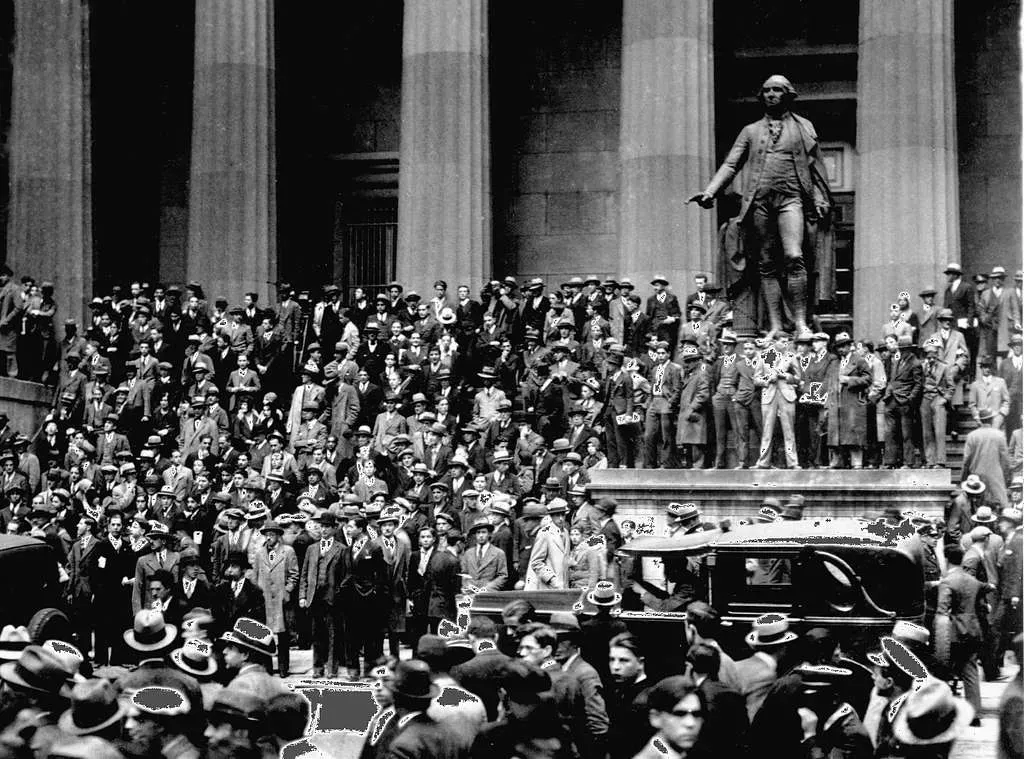
Created after the Wall Street Crash of 1929, the SEC is responsible for regulating U.S. stock markets. The laws it enforces are intended to ensure two things. Firstly, it protects investors by ensuring that companies selling securities—any type of tradeable financial asset such as shares or stocks—are truthful about how their businesses work, the terms of the securities, and the risks for investors. Secondly, it ensures that the sellers and traders of these securities, which can be brokers, dealers, or the exchanges themselves, treat investors fairly and honestly.
Besides enforcing these laws, the SEC also investigates fraud in capital markets like the Nasdaq stock exchange, and oversees securities offerings made by companies.
Overseeing how public companies report their earnings and how they make their disclosures is important because this information can affect stock prices. This means ensuring the right information is available, usually through forms that companies are required to file with the SEC, which makes them available to the public through EDGAR.
The company filings available on EDGAR go as far back as 2001. Below we explain how you can use its different search functions, as well as the different types of forms you will find.
Using EDGAR’s Full Text Search
First we are going to go over EDGAR’s Full Text Search. This search option lets you look at all a company’s filings, and also search for terms within the text of these filings.
1. Identify the company’s full name: Use Google, Wikipedia, or corporate databases like OpenCorporates to find the full name of a company. Another way to get the full legal name is by looking at the company's website, if they have one, and scrolling to the bottom to find the website’s copyright notice. For example, “© 1998 — 2026 Costco Wholesale Corporation. All rights reserved.”
2. Identify the company’s ticker symbol: Go to the stock exchange where the company is traded, Nasdaq in the case of Costco, and search the company’s name in the search bar. A good identifier besides the name—which might be similar to that of other companies—is the ticker symbol, which is typically 1-5 characters written in upper case. Costco’s ticker symbol is COST.
3. Once you have your company identifiers, go to the SEC official website.
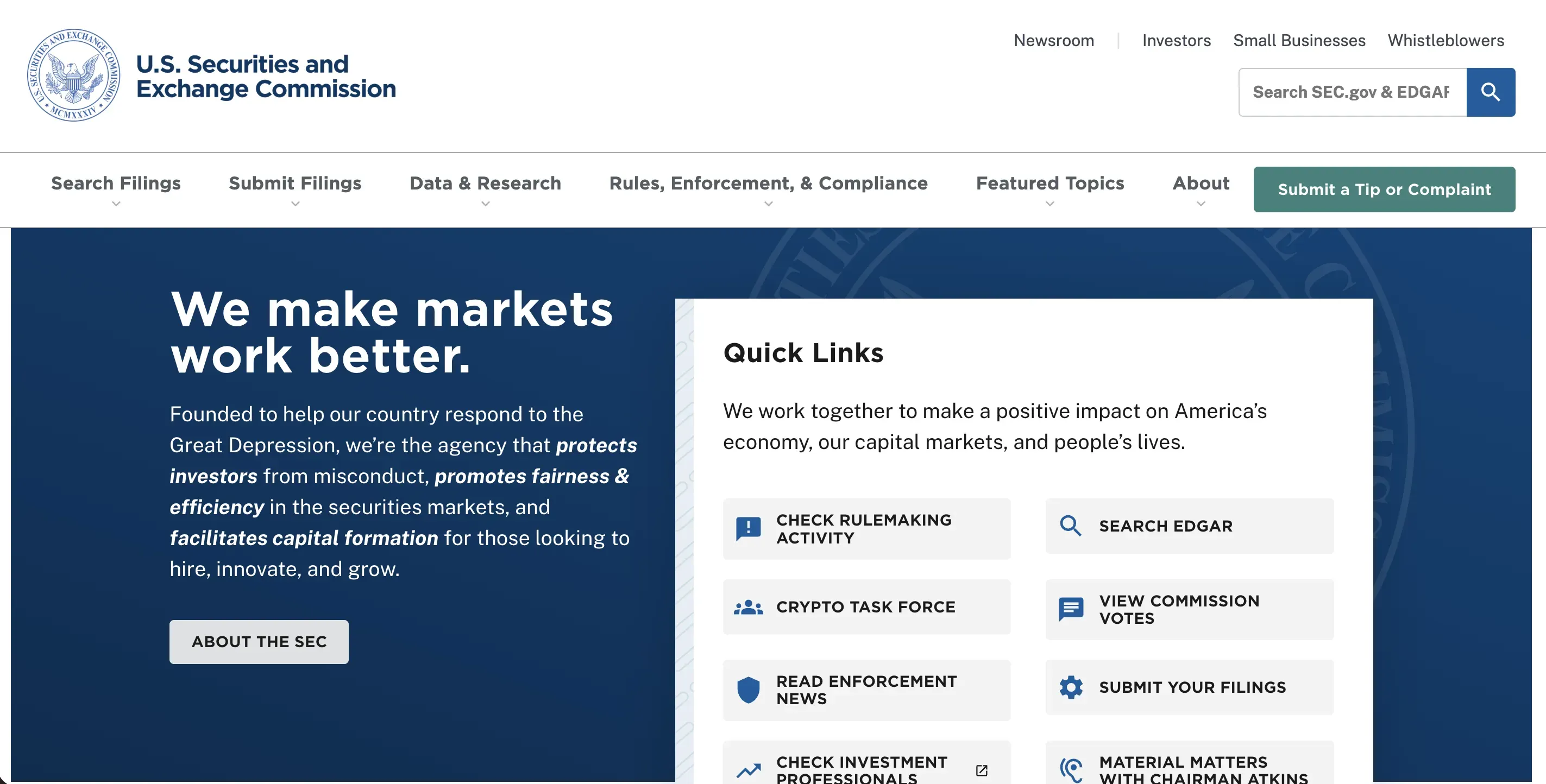
4. Click on the “Search Filings” section on the left. The general search bar on the homepage on the right side is to search the website and documents published by SEC, like press releases and regulation updates, not filings by companies.
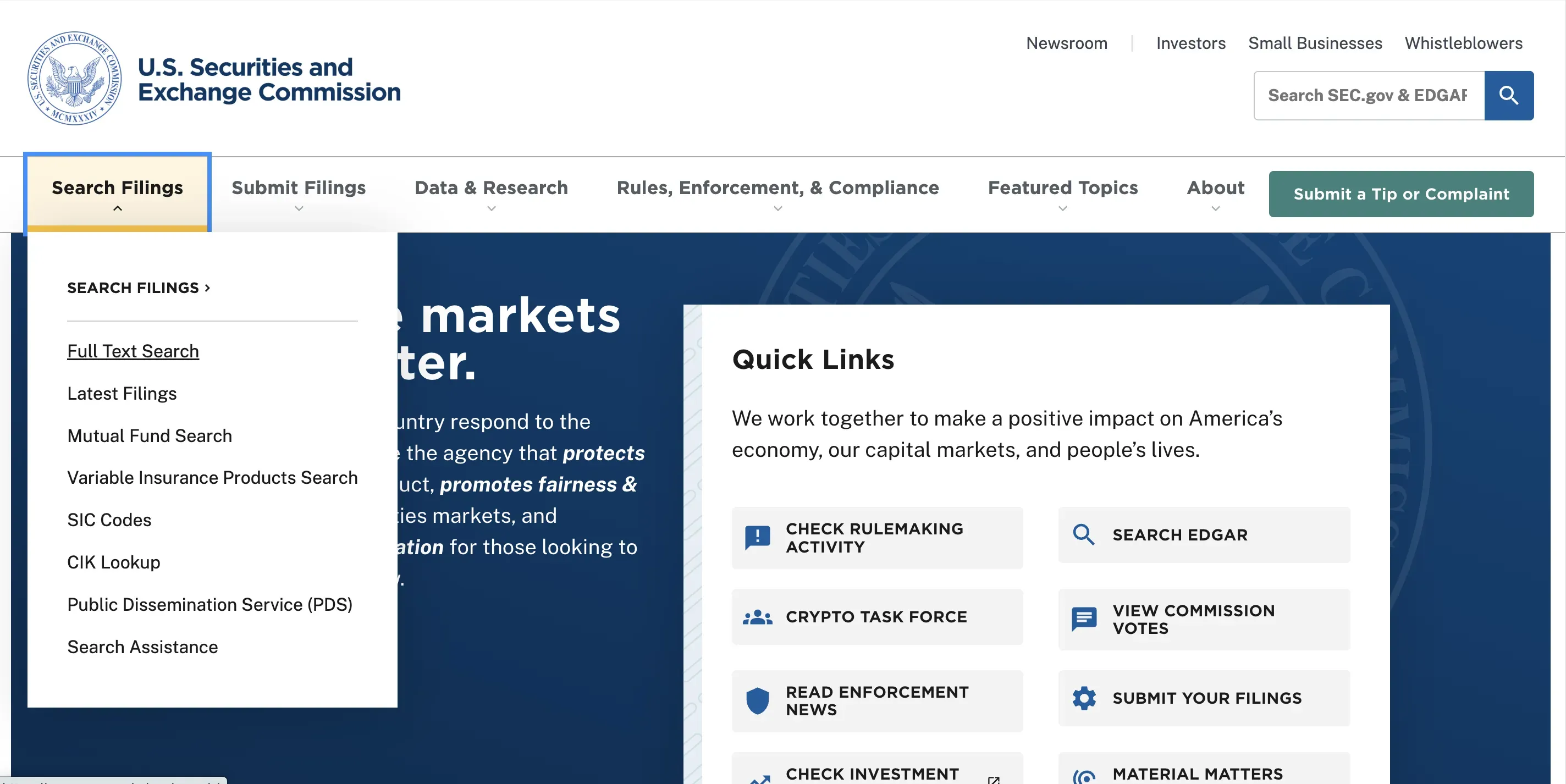
5. In the Search Filings menu, there are many options. To look at the filings of a specific company, and also search the text of these filings, select Full Text Search.
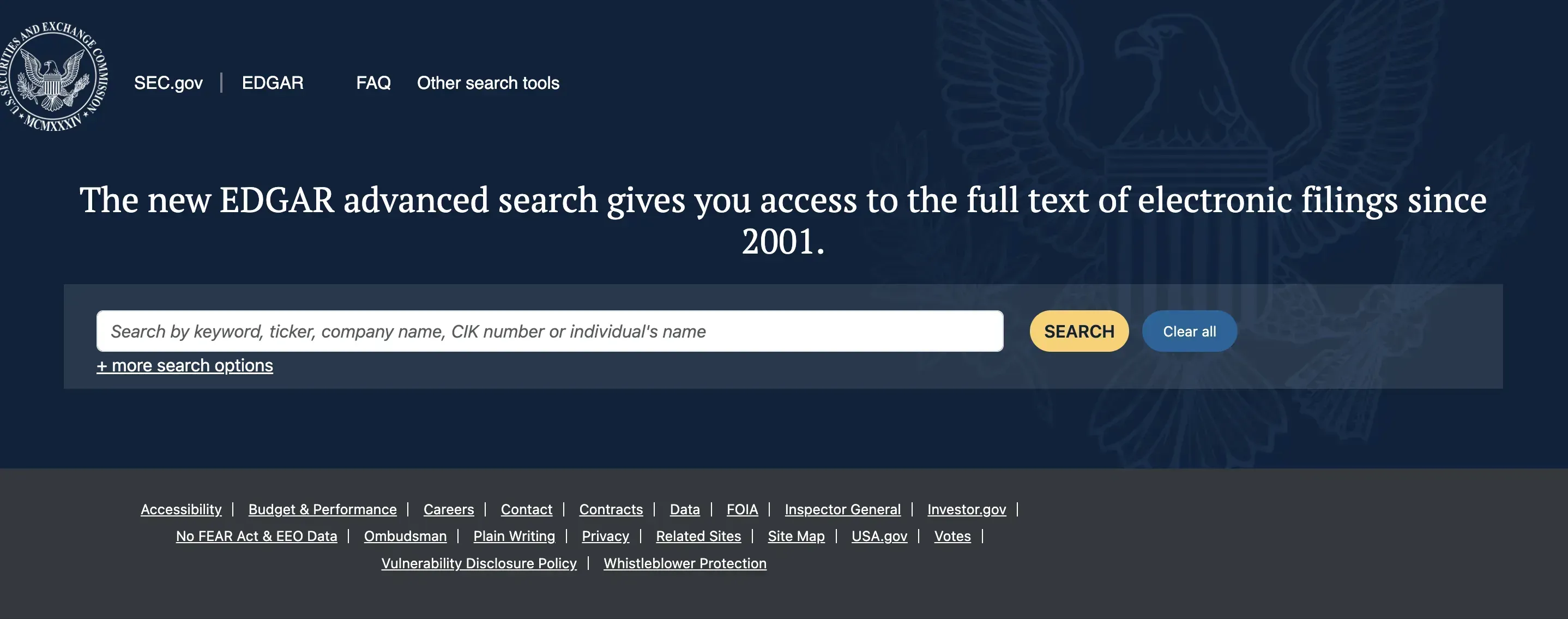
6. You can either use this general search bar or click on “+ more search options.” We will use the latter option.
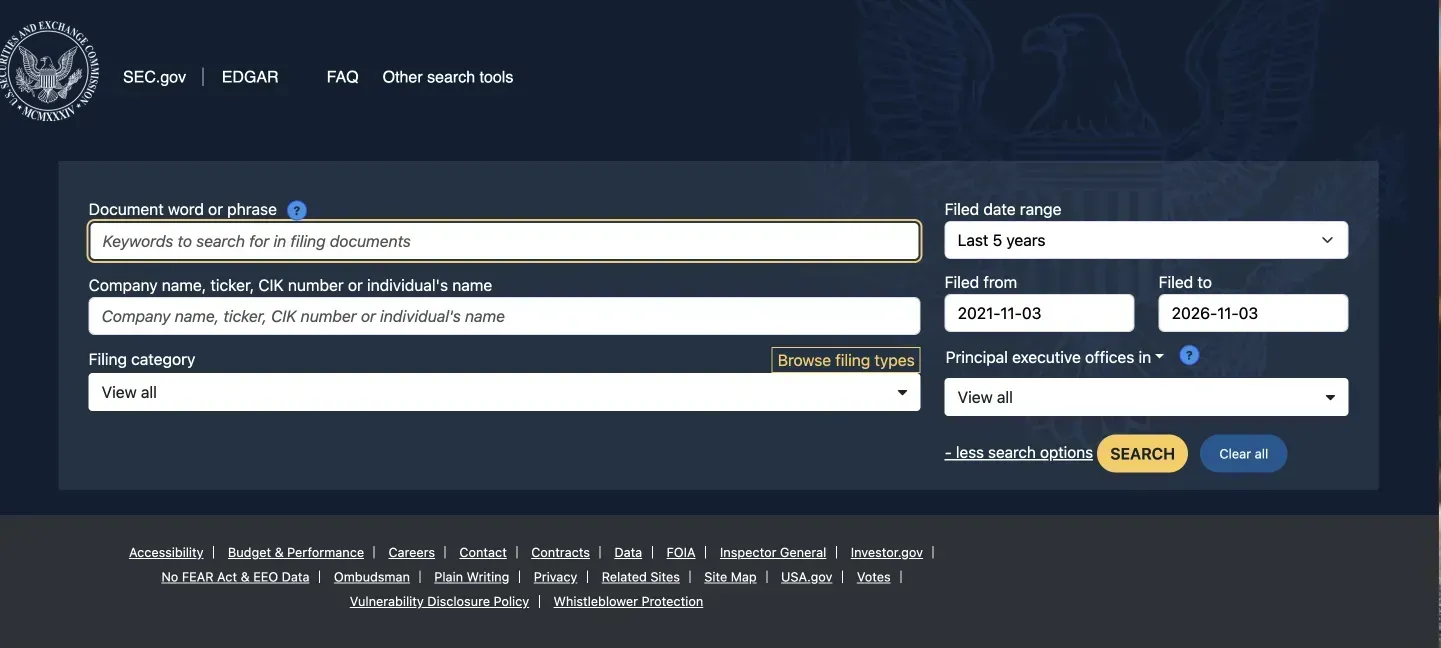
7. Now we can choose a date range, company name or individual, filter by category, and also search for terms within the files.
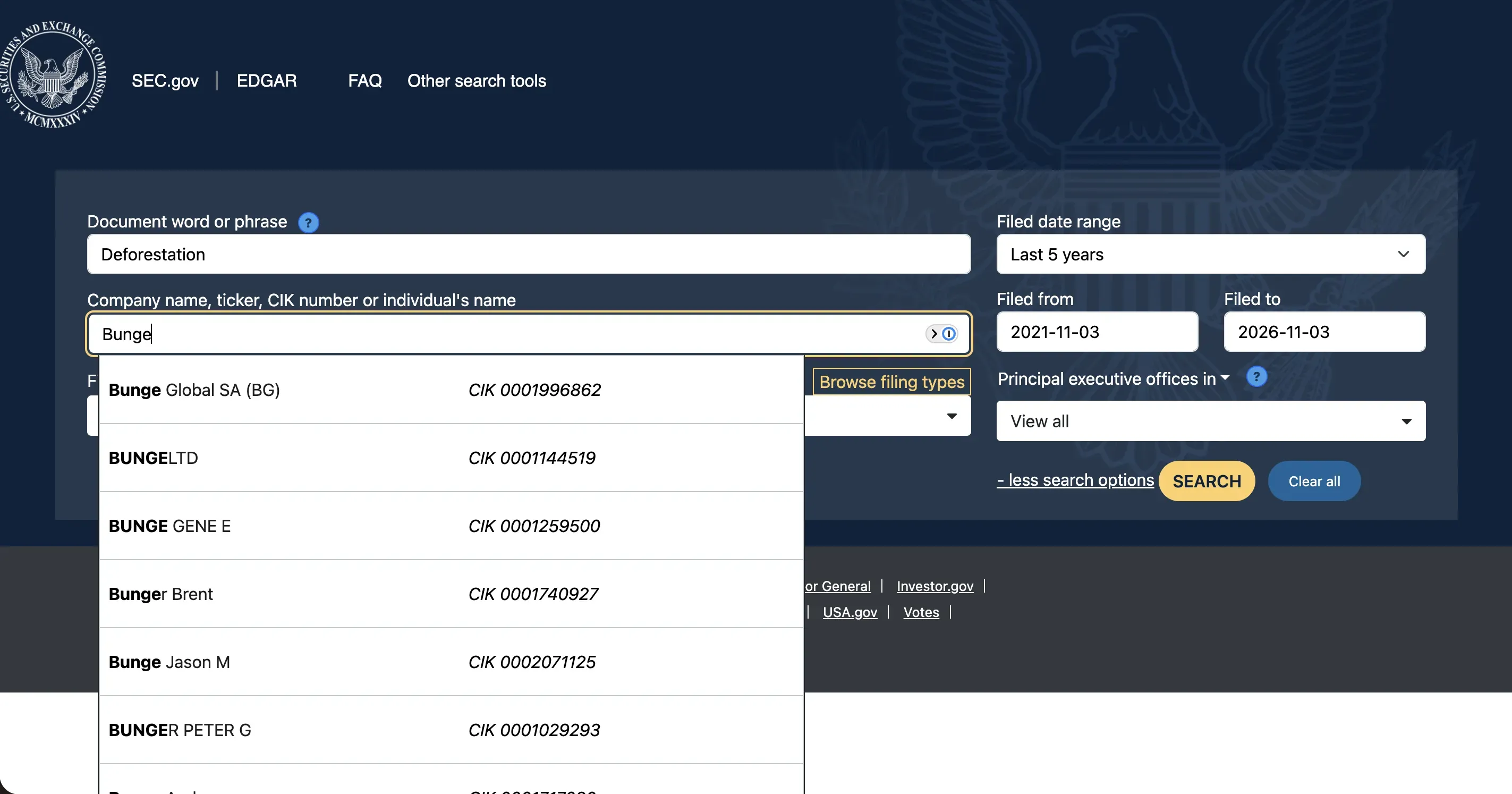
8. As you start typing in the company name, you will get suggestions for publicly listed companies. You can use the CIK numbers to verify that it is the same company. In the “Document word or phrase” bar at the top, we are putting in “deforestation.” For a company, we are putting in “Bunge” and selecting “Bunge Global SA (BG).”
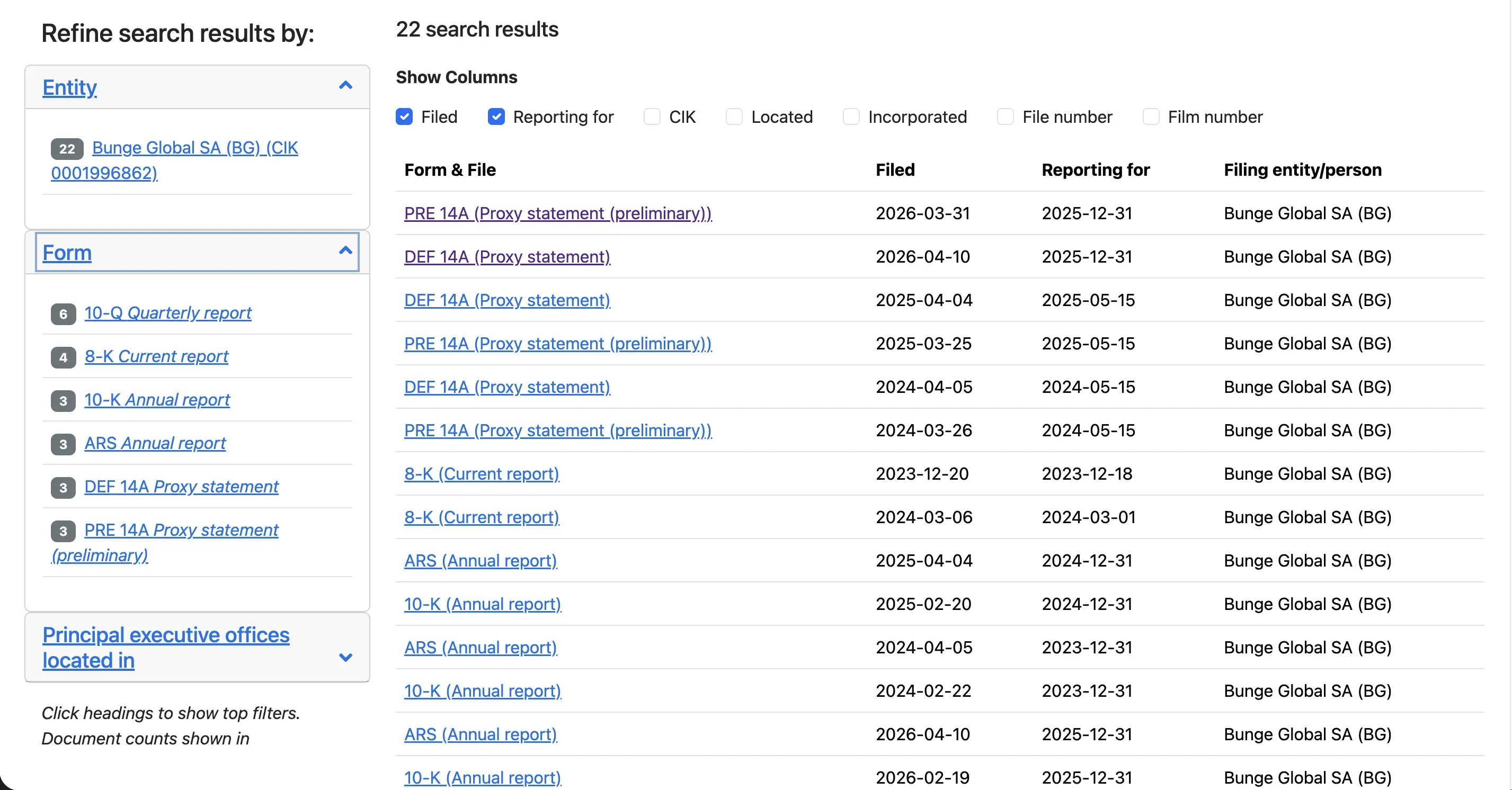
9. Looking for “deforestation” in filings by Bunge, you get these results. The ones you looked at before are highlighted in purple, like the proxy statements of 2026 in these results.
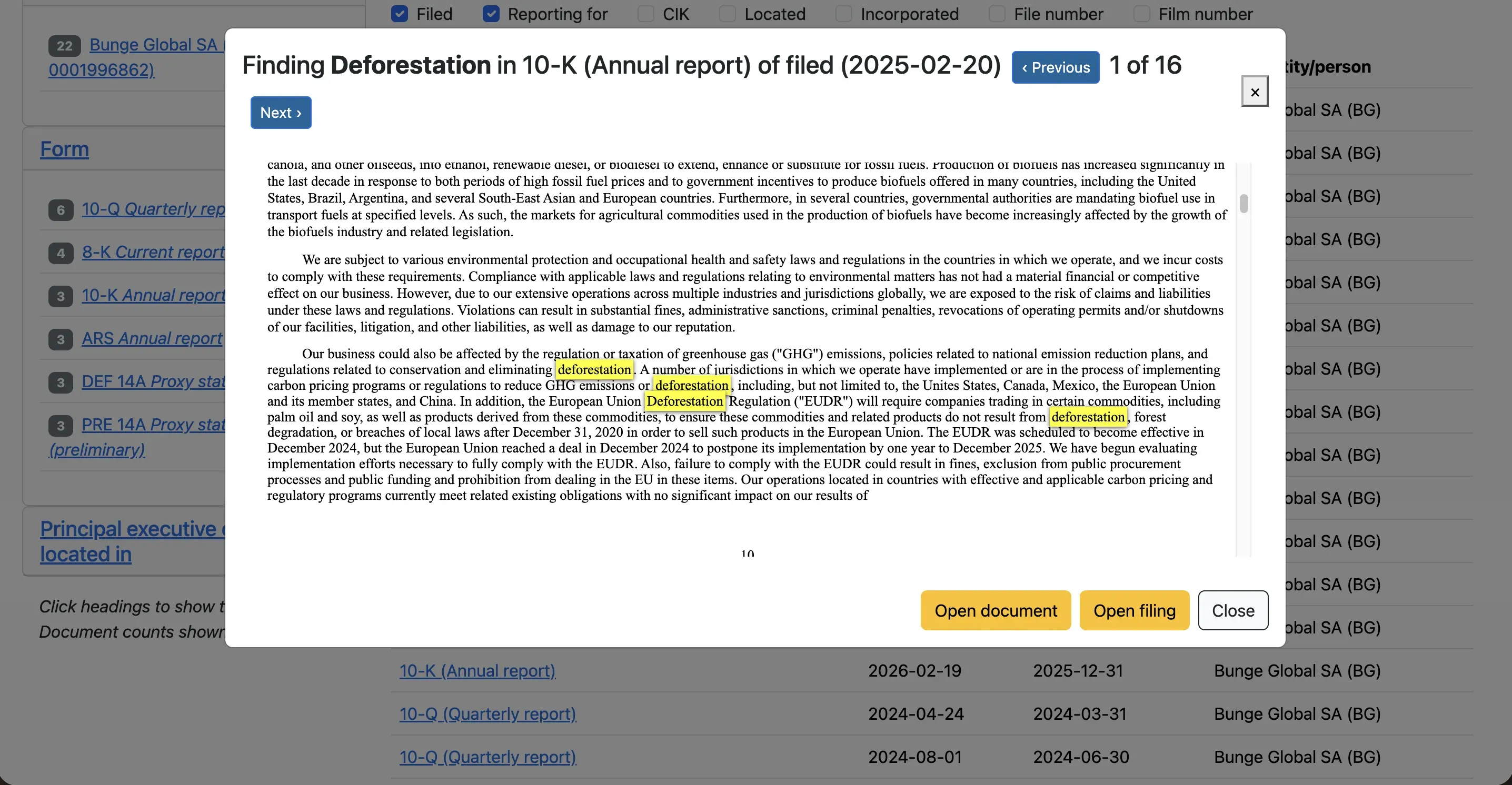
10. When you click on one of the results, you will get a preview showing where the terms you looked for come up in the documents.
Sometimes you will see two different entities for the same company. Make sure to look at both.
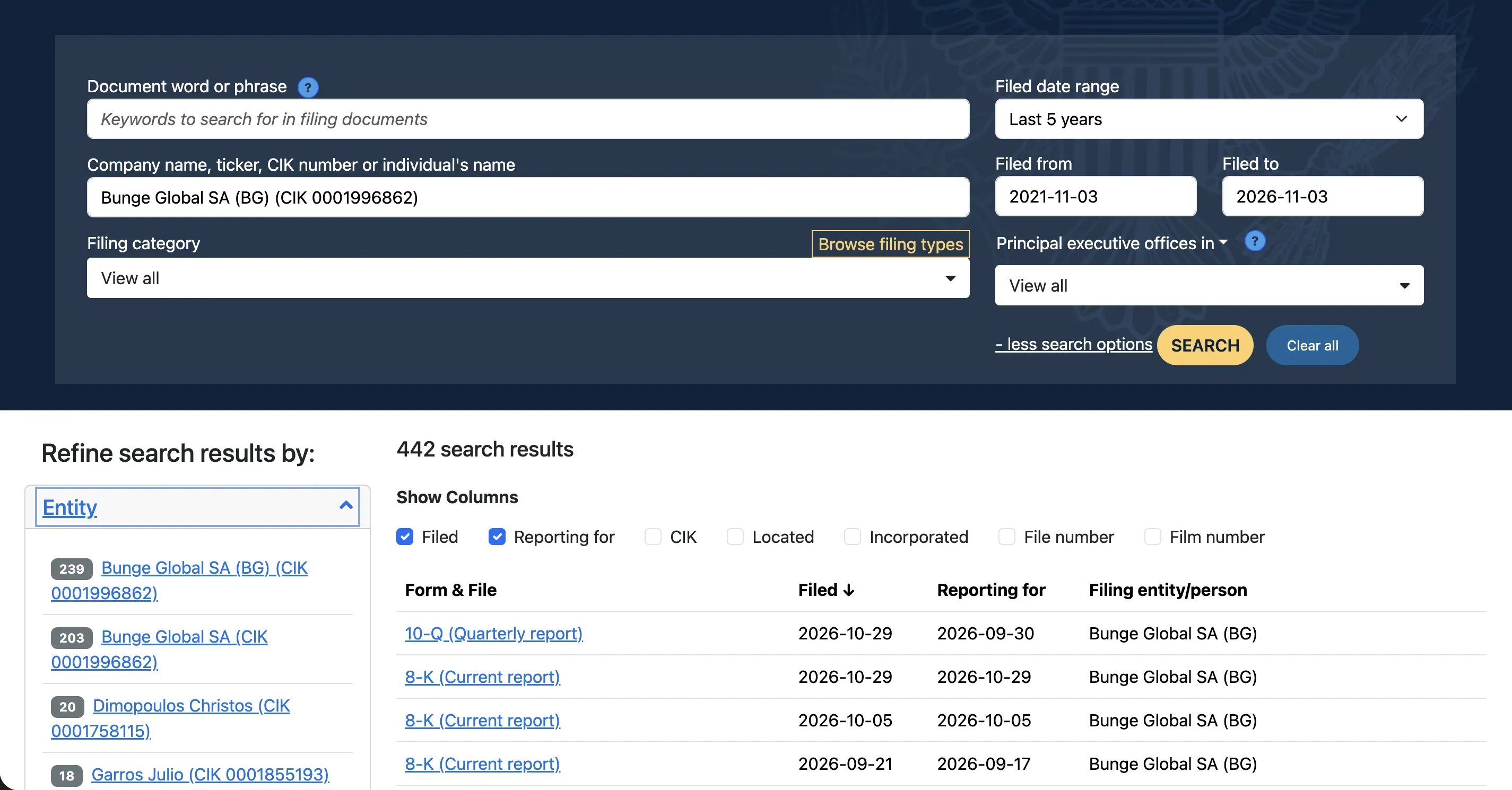
11. Important documents you will see are 10-K (annual reports) and 10-Q (quarterly reports). These files show essential information about the finances, operations, ownership, and assets of a company. We have a more detailed methodology on what you can find in annual reports and 10-K documents such as balance sheets and cash flow statements.
12. ARS are Annual Reports to Shareholders. They are known as the “glossy” annual reports, and have a more reader-friendly layout with summaries from management interpreting and explaining parts of the more technical 10-K files. It is useful to look at both the ARSs and 10-K versions of the annual reports. 10-Ks will have more granular detail like addendums with explanations of specific investments, financial trends, and asset purchases.
13. 8-K files are announcements from the companies about changes and events that shareholders should be aware of.

Pulitzer Center Update
U.S. Regulator Proposes Another Blow to Corporate Transparency
14. Proxy statements (or DEF 14A) include information that shareholders should know ahead of a management board meeting. It provides information for voting about the company’s direction and management pays. Shareholder proposals, where investors and owners of the company can bring forward concerns, are part of the proxy statements.
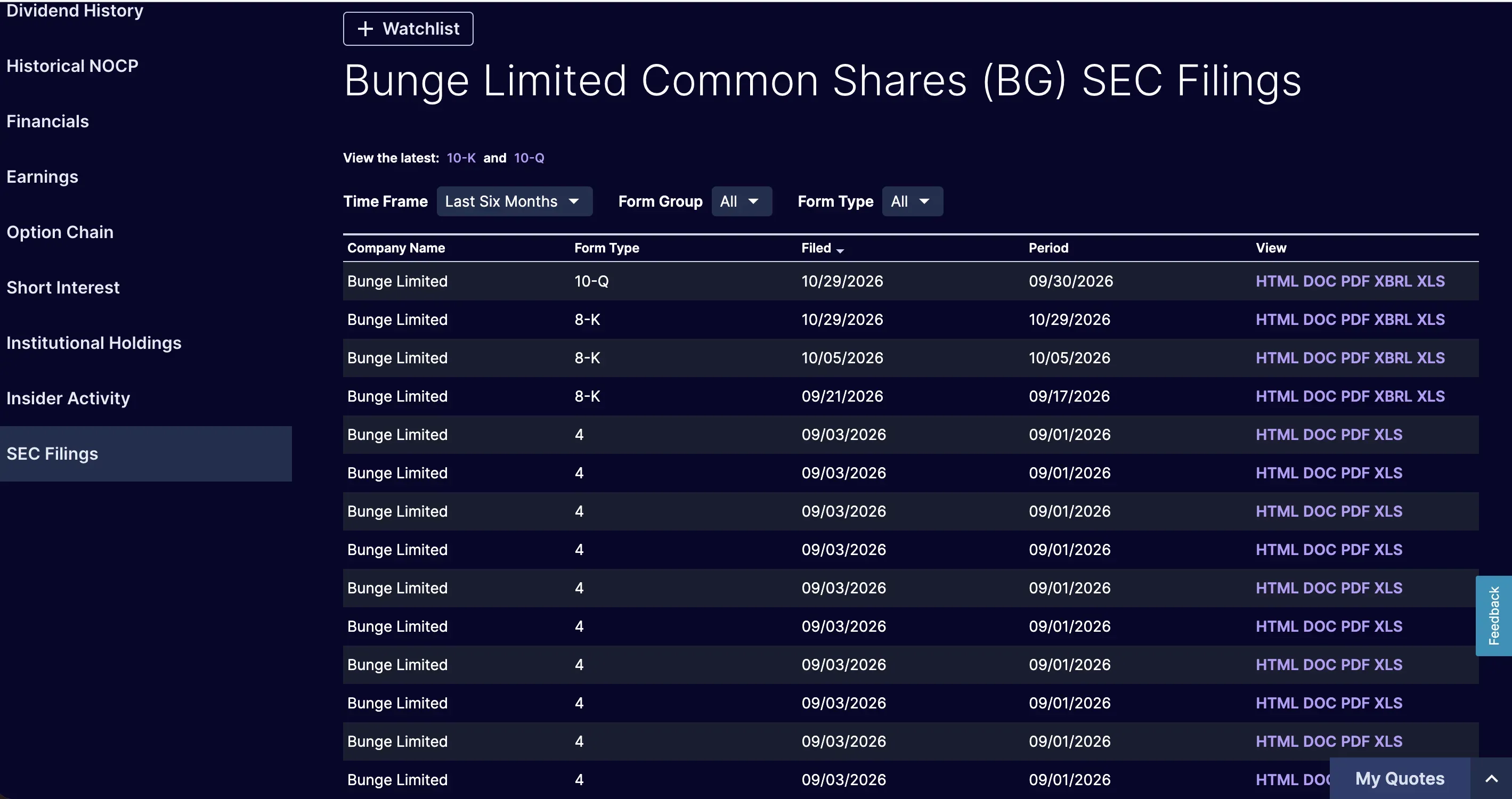
15. An alternative way to get to SEC filings is to go to the company page on the website of the stock market where the company is being traded. For example, this is the page for Bunge on the Nasdaq website. In the sidebar on the left at the bottom, there is a section called “SEC Filings.”
If you want to investigate private companies, rather than companies that are publicly traded, which are not regulated by the SEC, you can follow this methodology.
Looking up people
In the EDGAR Full Text Search, you will see that the search bar also suggests individuals’ names as an option besides company names or numbers. This is very useful if you want to see if anyone is mentioned as a manager, shareholder, investor, or comes up in a filing for any other reason. Some individuals have CIK numbers and will come up as an entity, like Donald J. Trump.
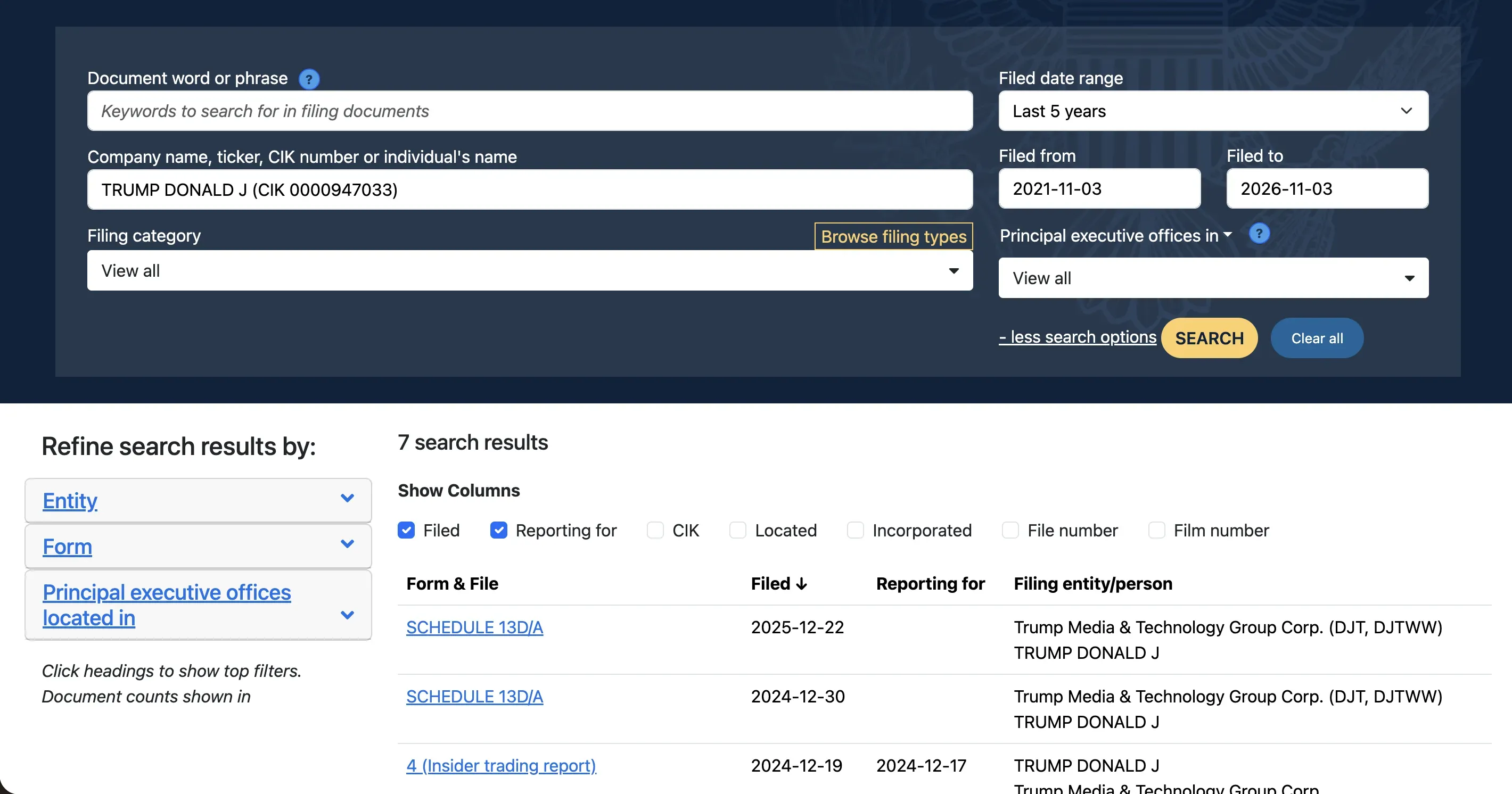
Other individuals do not come up as an entity with a CIK number, like James David Vance. In that case, use the “Document word of phrase” search bar to search through the text of filings.
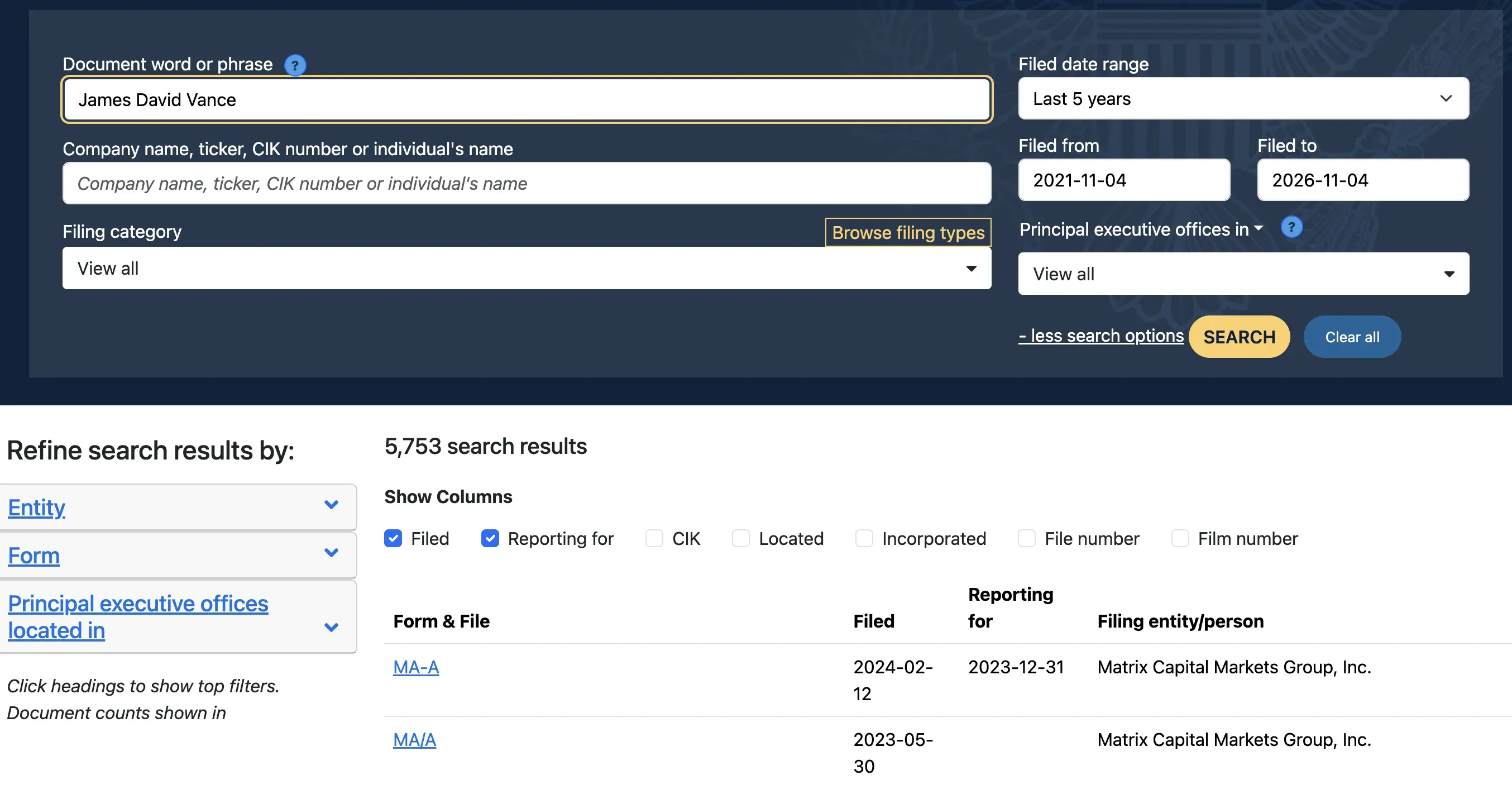
When you are looking for a name, or topic, that has parts or terms that are very common, like the example above, it is better to use quotation marks to get exact matches like below.
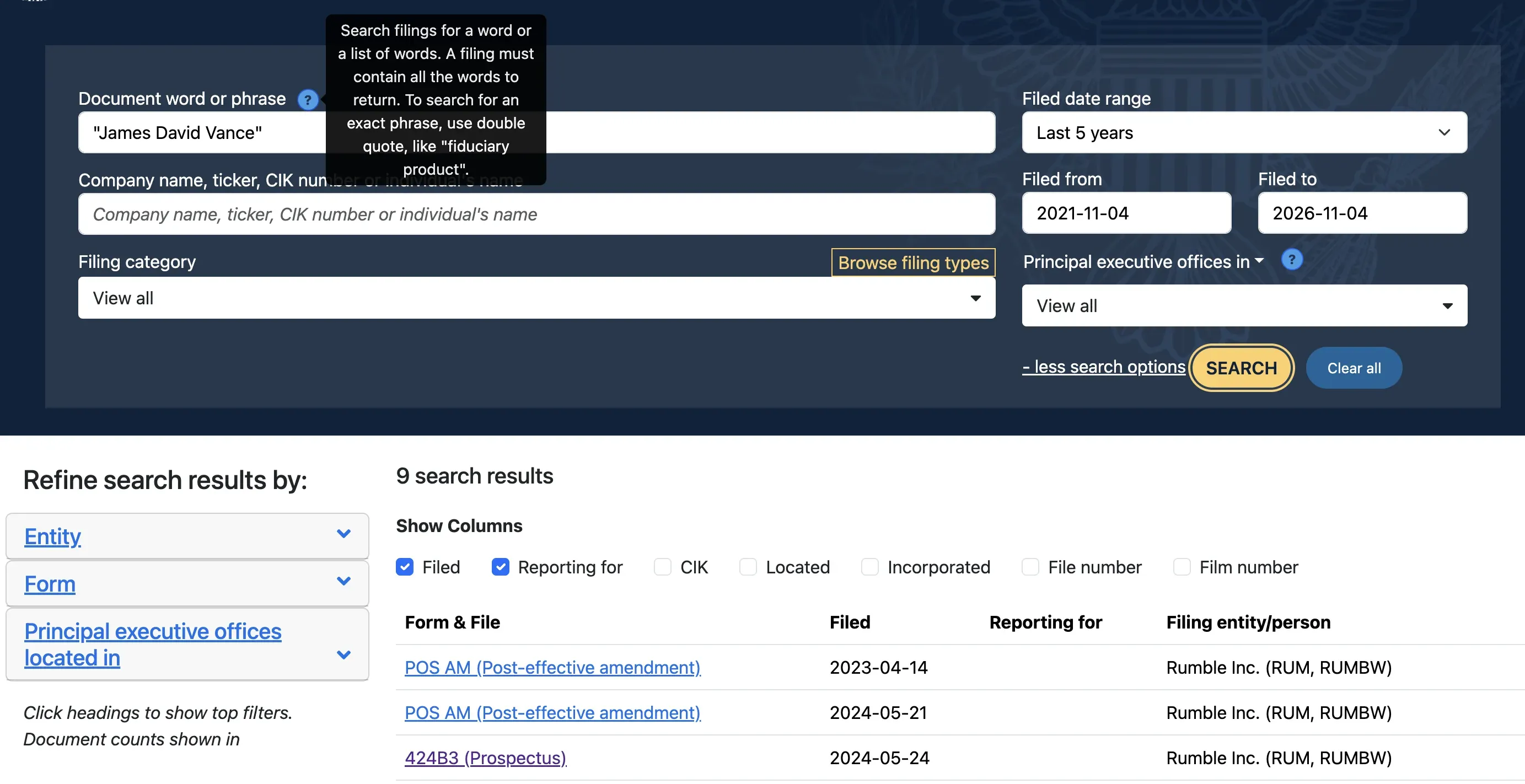
You can see that this has really narrowed down the results: from over 5,000 to nine. In the results here we see a POS AM, which is a document that a company files to make an amendment to a previous registration document.
Registration documents can be about registering a company to be publicly traded, or about registering securities to sell. In a registration document, a company details a lot of information like shareholders, ownership, and management. Often, in the process of creating and registering a company or shares, many aspects will change, like the terms of buying a share, and the company will file a POS AM to reflect these changes.
Another document we see here is a 424B3, which is a similar amendment to registration documents, but it is for smaller changes. When a company files a POS AM, the trade of its securities will be on hold until the SEC reviews the amendment. This is not the case for a 424B3.
Other types of documents filed by companies
There are hundreds of types of documents that companies might file. When you are investigating a company, try to look at all the ones that might be relevant for your project. A way to narrow down the amount of documents is by limiting the timeframe to what is relevant for you.
The SEC has an index of all the types of forms they use. To get an idea of what they could include, we explain a few important categories.
1. Financial information and reports to investors
As we mentioned before, annual reports and 10-K reports include detailed financial information about the company that explains to investors and shareholders how the company is doing and what its operations are. Others in this category include forms 10-Q (quarterly and unaudited unlike a 10-K), 20-F (for foreign companies), 6-K, and 11-K.
2. Beneficial ownership
This term refers to who, as in individuals, ends up being the actual owner of a company. Often people own companies through a network and tiers of other companies, but in the end there will be a person involved. The SEC requires companies to file information about those owners like forms 3, 4, and 5 (not to be confused with F-3 and F-4).
3. Registration or S forms
As we saw in the example of looking for an individual’s name, companies need to register when they want to go public and sell shares—and file documents when they make changes to the shares and their makeup. Most of these files start with the letter S, like the form S-1, which is the initial registration document for when a company wants to go public, i.e. put shares on the stock market that can be bought and sold. S-4 is a disclosure of mergers and acquisitions (when a company is being merged with another one or bought up by another entity). Like with the financial information forms above, when you see an F in the name—here it would be F-1 or F-4—this is the version of the forms for foreign companies.
4. Investment companies
Companies that are created to invest in other companies, like ETFs, mutual funds, and registered investment advisers have their own categories of filings. For example, the N-1A is the initial registration document for mutual funds and ETFs, like the S-1 is for regular companies.
There are many more types of documents, such as administrative notices (if a company is late with making another filing), termination documents (when a company is dissolved or goes private), and alternative documents for small businesses (they don’t have to file as detailed information as big companies).
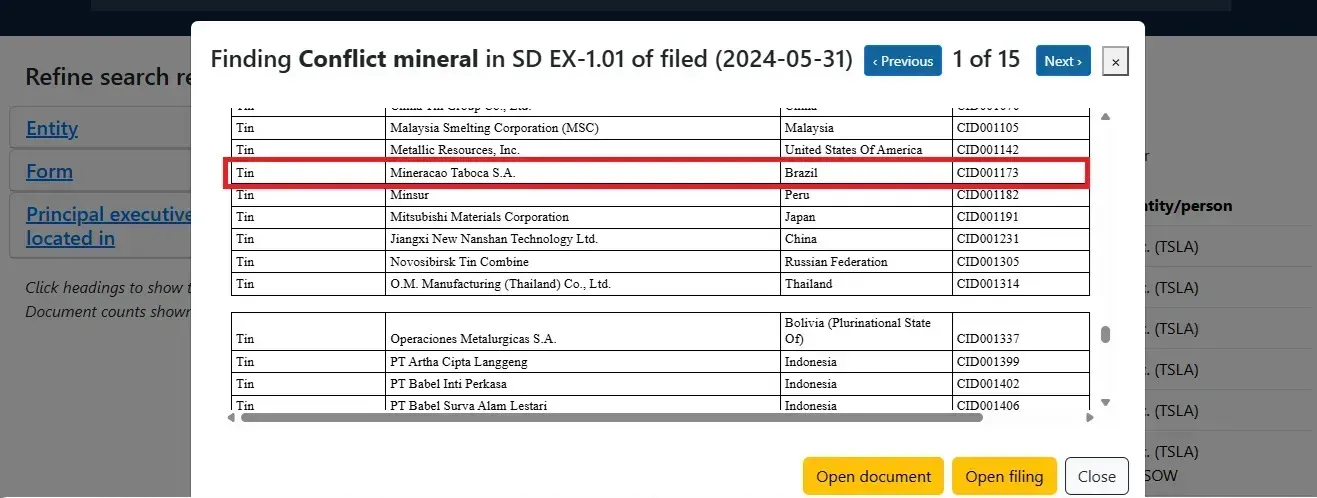
There is one type of special report, a Specialized Disclosure Report, specifically for mining and extractive industries. When tracking critical minerals from the Amazon, Pulitzer Center Fellow Isabel Harari was using conflict mineral reports.
“These reports identify smelters and refiners that may process gold, tantalum, tin, and tungsten in publicly traded companies’ supply chains,” Harari said. “They helped me trace links between Tesla, Toyota, and a tin mining company suspected of contaminating an Indigenous territory in the Amazon. Both carmakers listed the mining company in their conflict minerals reports, giving us our first leads connecting the mining company to their supply chains.”
Using the EDGAR company search
Using the company search page, rather than the filings search explained above, can be a faster way to find specific documents like shareholder proposals and proxy statements for a company. This index groups files around a company that you select, rather than around search results filtered by the company you selected.
1. Identify the company’s full name. Follow the same steps as above to find the full legal name and ticker symbol of the company.
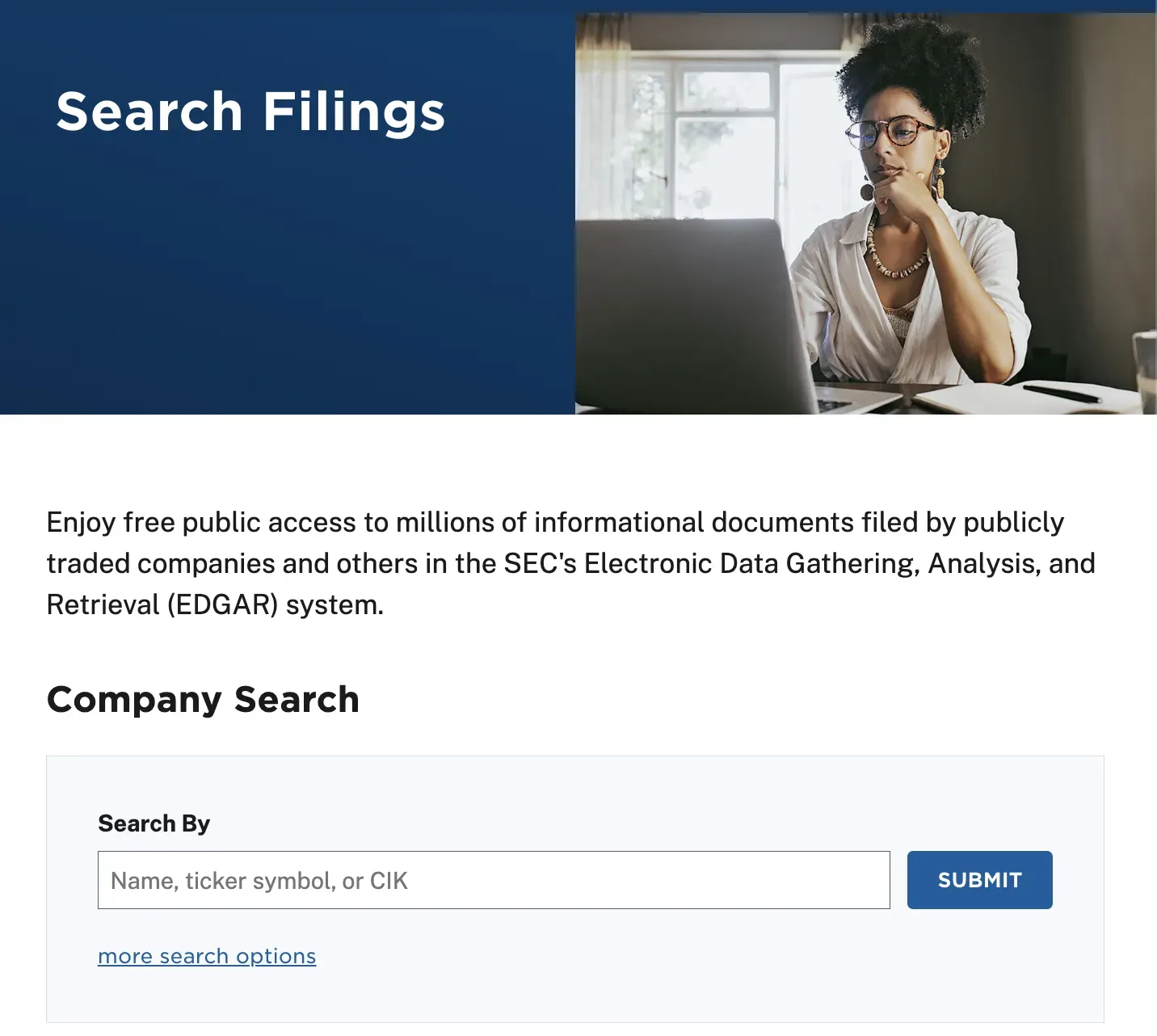
2. Find the company on the SEC. Type the full name, ticker symbol, or CIK into the EDGAR company search page
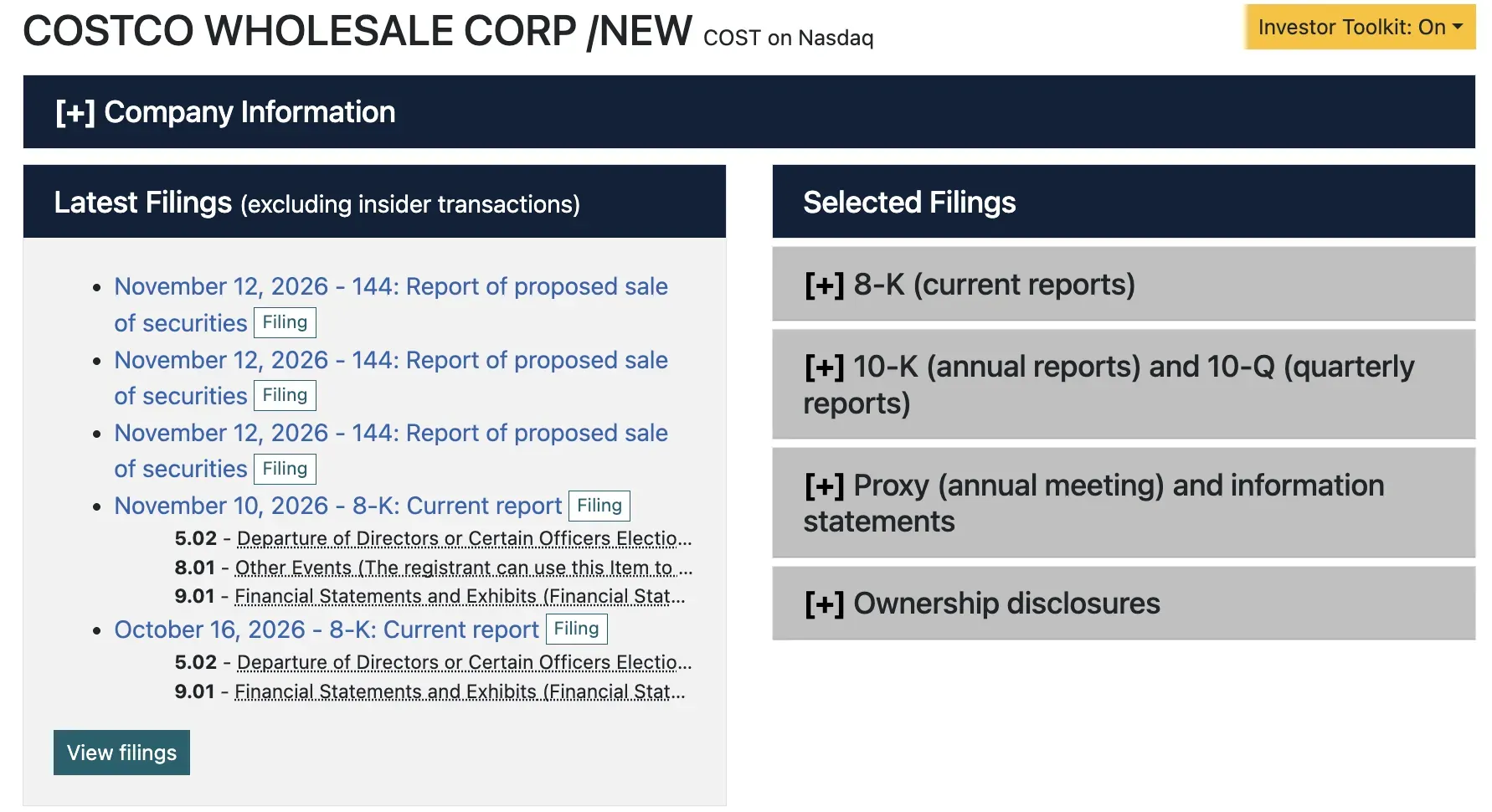
3. Select the correct company to open their company page
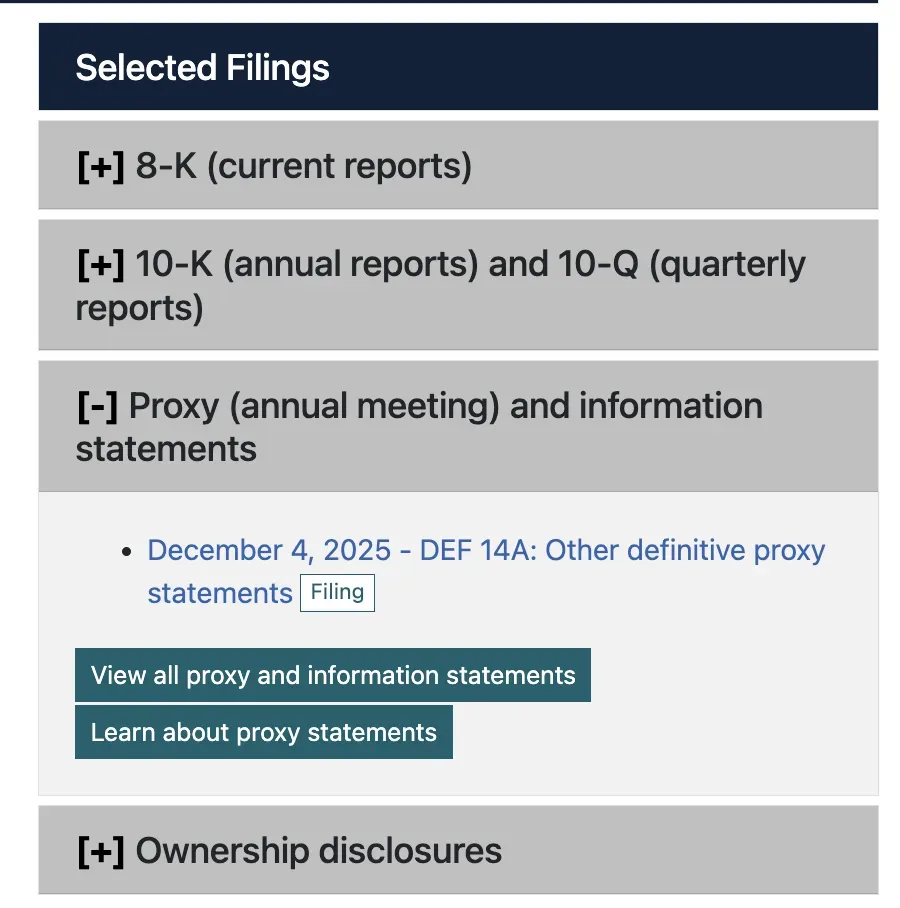
4. Under selected filings click “[+] Proxy (annual meeting) and information statements”
4a. Click “View all proxy and information statements”
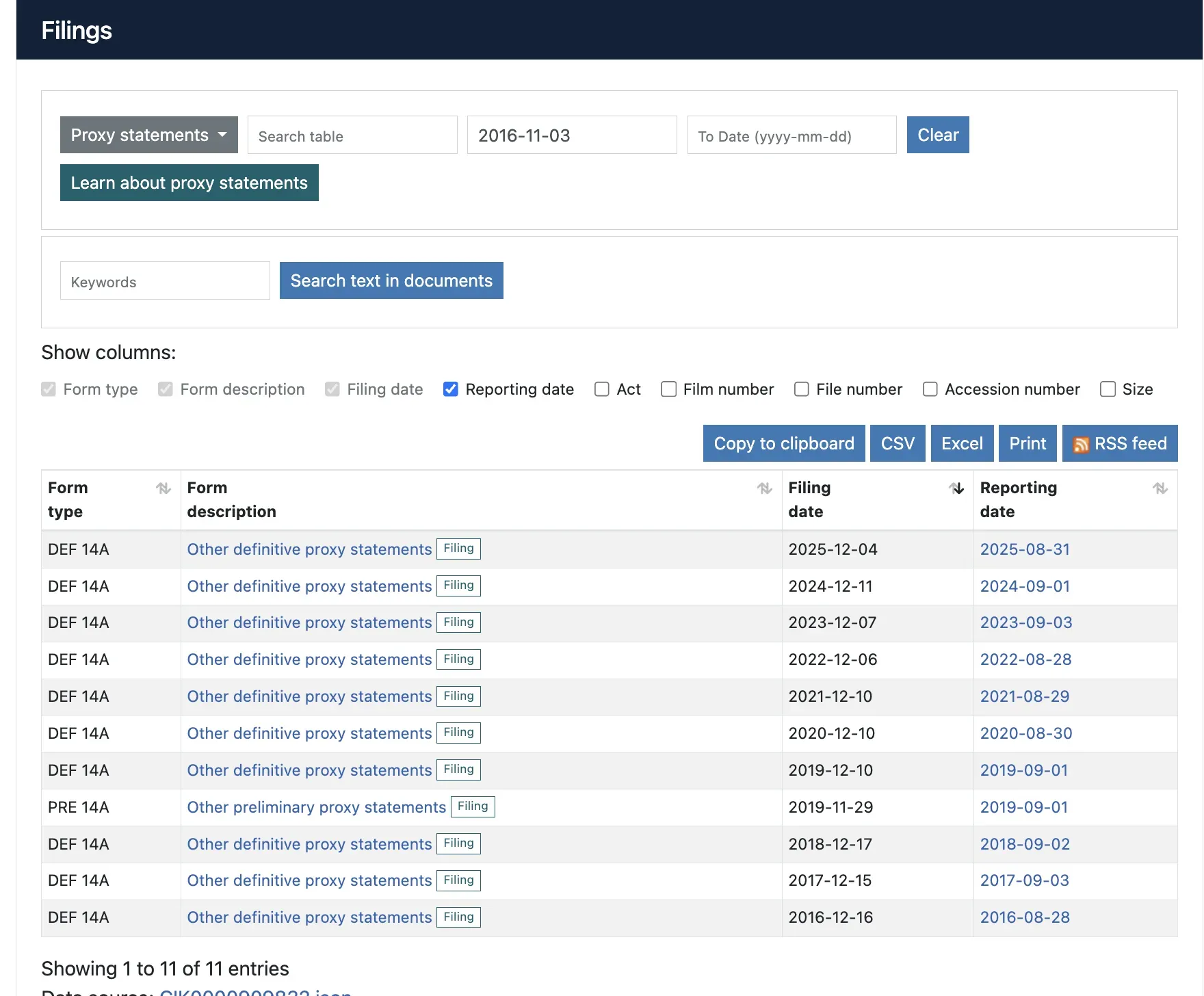
5. A new section will appear titled “filings” where you can sort by filing date and download files.
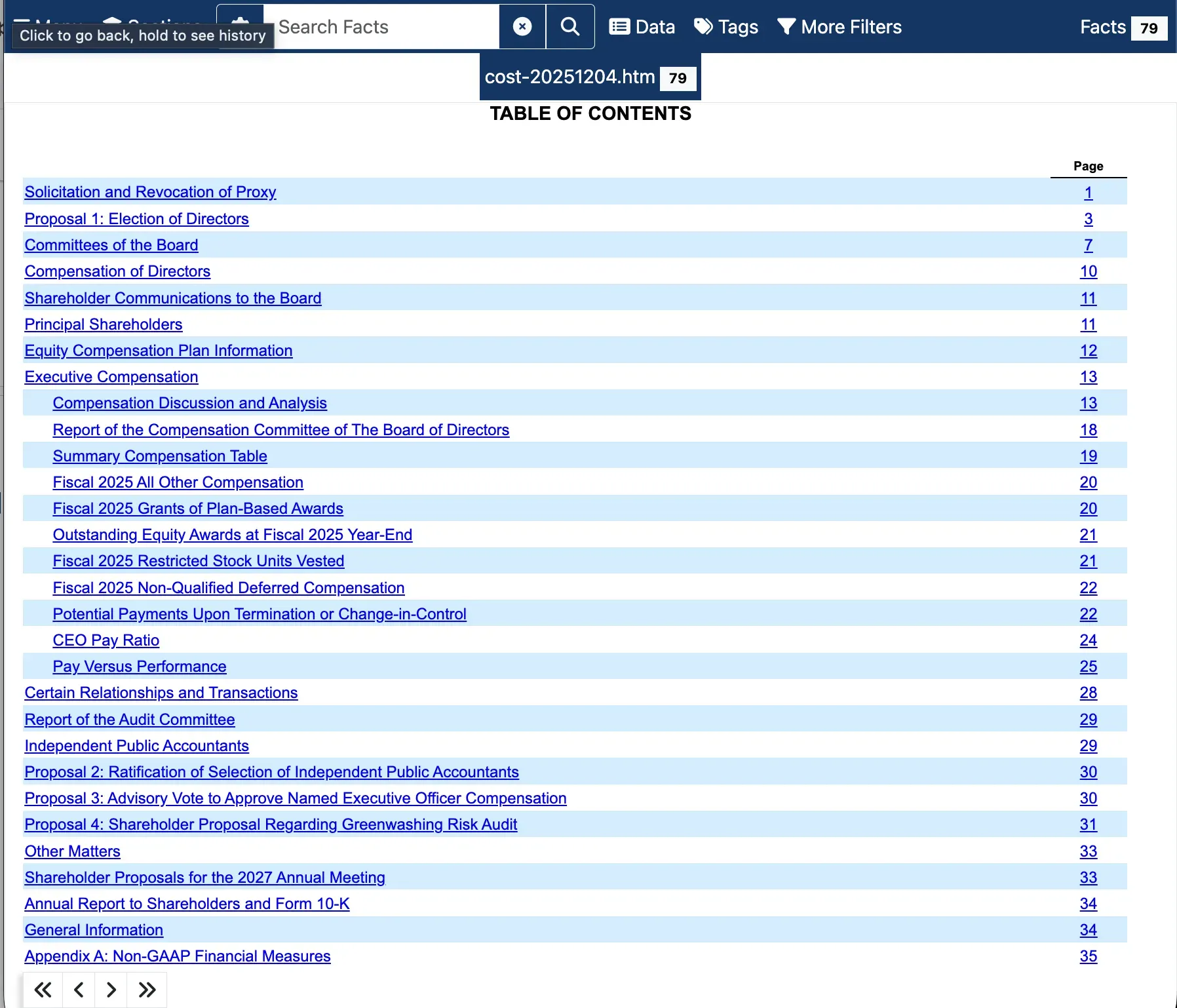
6. Identify the shareholder proposals via the table of contents